template guide
One template, the whole path from inquiry to delivery
Summitline is not a CMS-plus-contact-form site, and not an internal booking system — it's a client-acquisition, inquiry, light-CRM and proposal-management template for B2B service providers. This guide covers who it fits, what the back office can do, and exactly how data flows between leads, proposals and projects.
// who it's for
Event venues & production
The demo skin: conferences, launches, executive programs, offsites.
Consulting & professional services
High-ticket engagements sold through discovery and a written proposal.
Training & education providers
Cohort programs quoted per engagement, delivered as projects.
Creative & agency services
Studios that pitch scope + price, then manage delivery.
// deliberately not
- An internal meeting-room booking system
- Real-time scheduling or consumer instant checkout
- A full Salesforce replacement
// the core loop & data flow
inquiry → lead → proposal → project
01 · Inquiry
/request RFP form · /contact
Structured brief submitted. Backend creates a Lead (status: new), auto-creates/dedupes the Account (by company) and Contact (by email), and writes the first activity entry. Spam is filtered by a honeypot field.
02 · Lead
/admin/leads
Team qualifies the lead: assign an owner, set value & priority, log calls/notes, add follow-up tasks, attach files. Statuses: new → contacted → qualified → proposal → won / lost. Every change is logged to the activity timeline.
03 · Proposal
/admin/proposals · /p/<token>
"Generate proposal" builds a draft FROM the lead: brief becomes the first scope block, contact info and default line items are pre-filled, and the lead auto-moves to status proposal. Sending generates a private token link; the client accepts or declines online and the decision flows back — acceptance auto-moves the lead to won.
04 · Project
/admin/projects
An accepted proposal converts to a delivery Project in one click: budget = proposal total, a 7-item delivery checklist is seeded, and the lead/proposal/project stay cross-linked. Track tasks, notes and files until delivered.
Throughout: every step writes to the activity timeline; leads, proposals and projects stay cross-linked; every status change is traceable.
// the manual, module by module
01
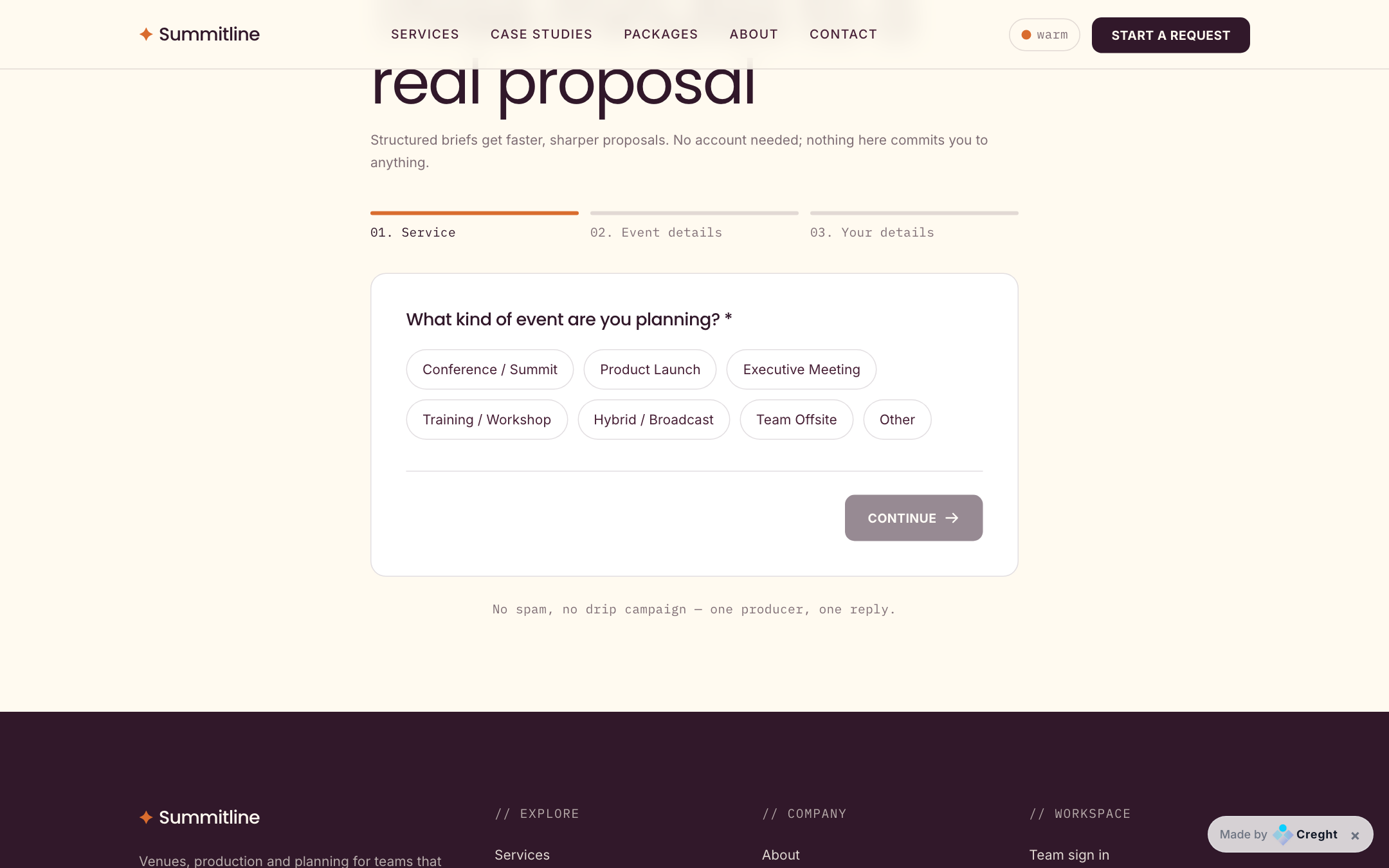
The RFP form — where the pipeline starts
- Three steps: service type → event details (date, attendees, budget, brief) → contact info. No account required.
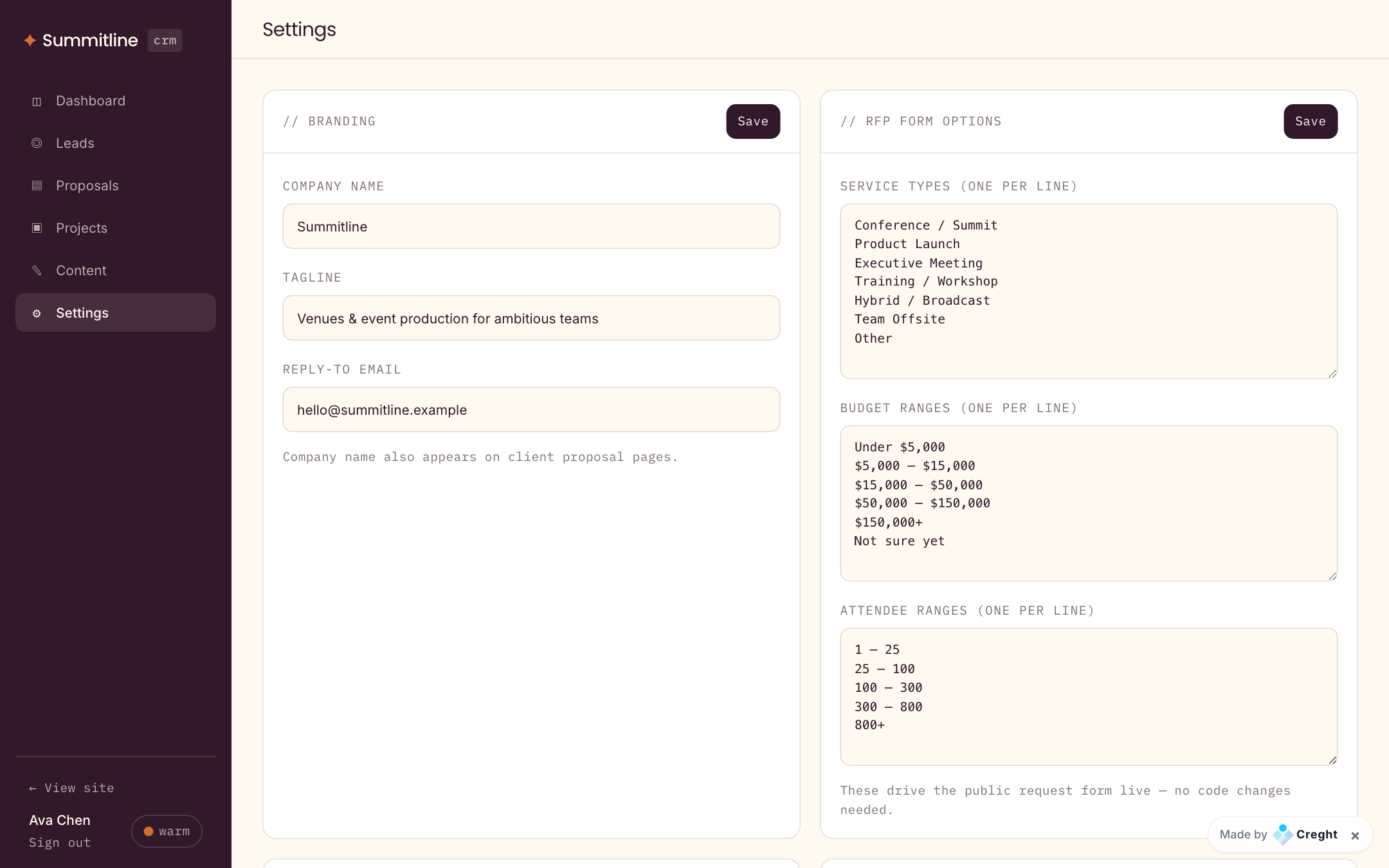
- The option chips (service types, budget ranges, attendee ranges) are NOT hardcoded — they load live from Settings → RFP form options. Edit them in the back office and the public form updates instantly.
- Contact-page messages also become leads (source: contact_form), so nothing lands in an unmonitored inbox.
02
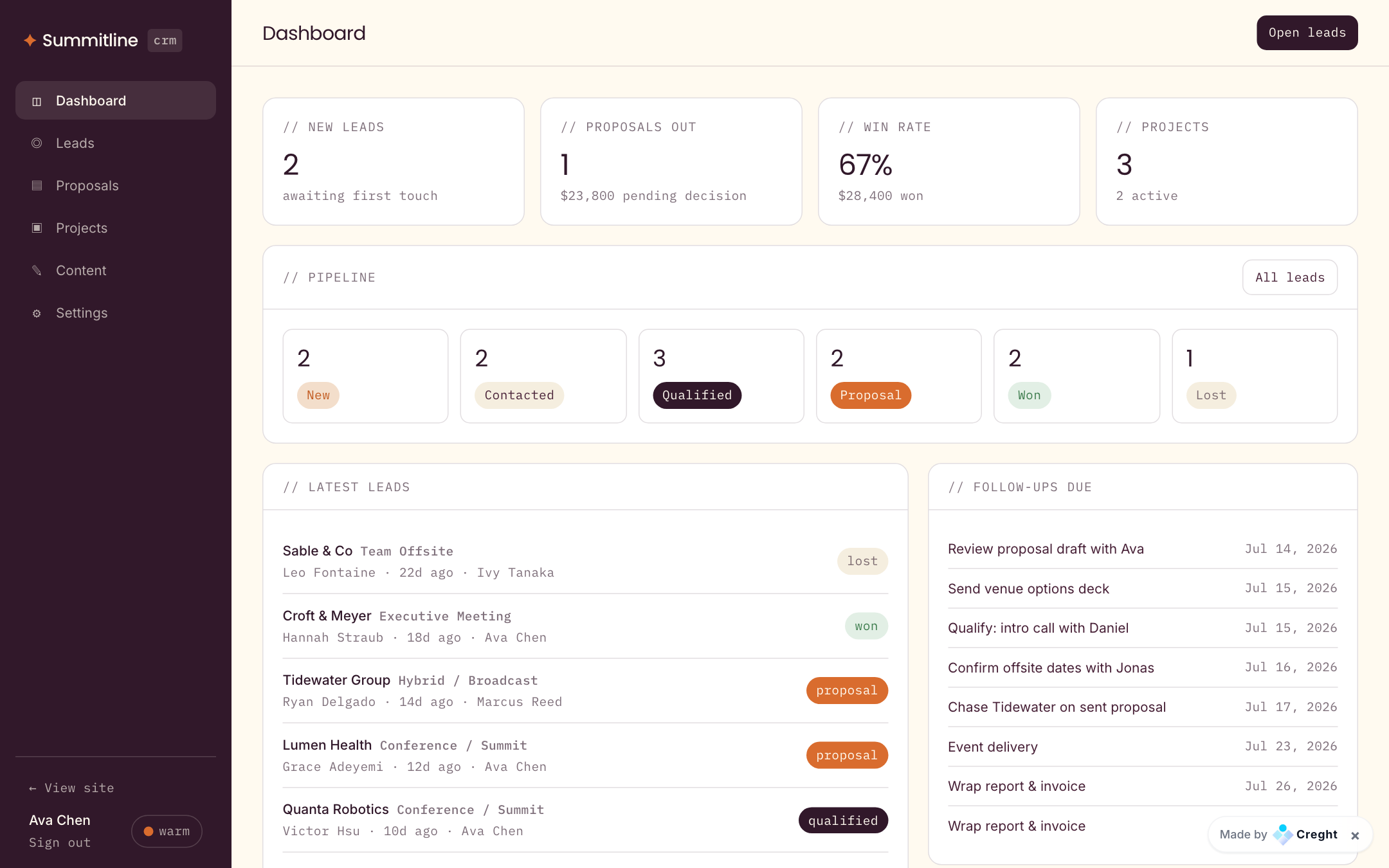
Dashboard — the morning view
- KPI row: new leads awaiting first touch, proposals out with pending value, win rate, active projects.
- Pipeline strip counts every stage — each card links to the pre-filtered lead list.
- Follow-ups due lists open tasks across all leads and projects, sorted by due date.
03
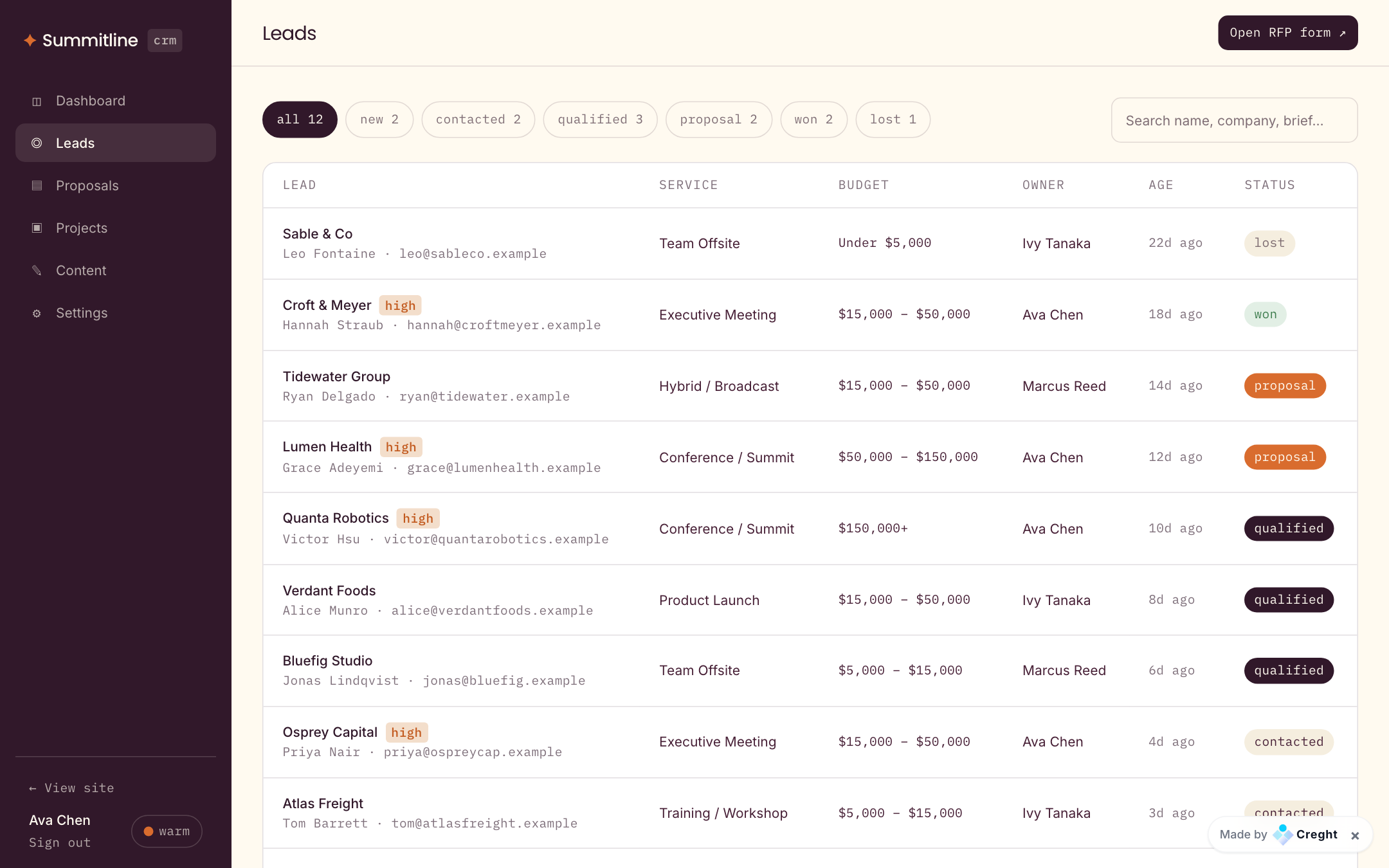
Leads — qualify and follow up
- List: filter by status chips (with live counts), search across name/company/brief, assign owners from your team.
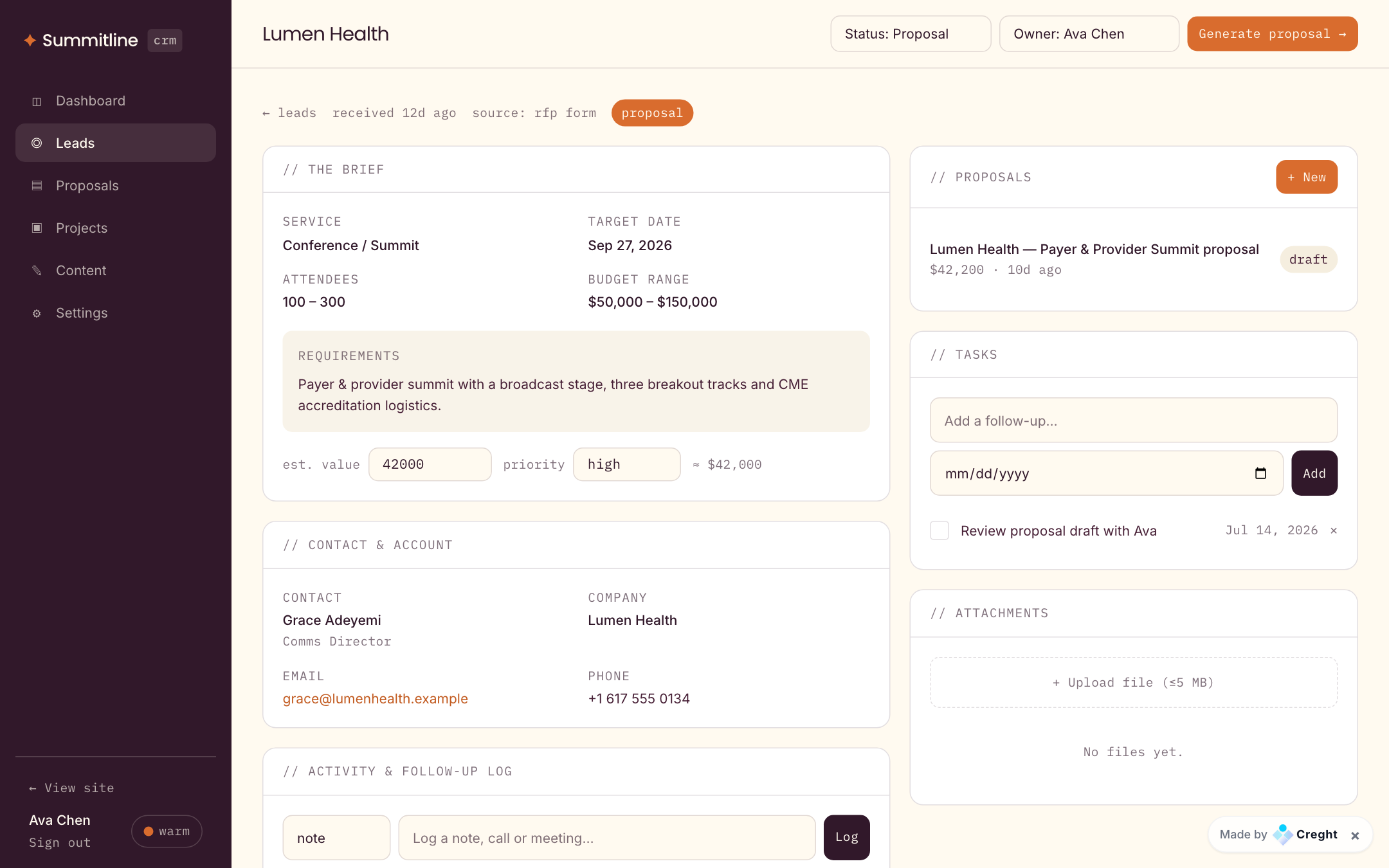
- Detail: the structured brief, contact & account, estimated value and priority, an activity log (notes, calls, emails, meetings — each stamped with author and time), follow-up tasks with due dates, and file attachments (≤5 MB, stored on the CDN).
- The "Generate proposal →" button is the handoff to stage 03 — it carries the whole brief with it.
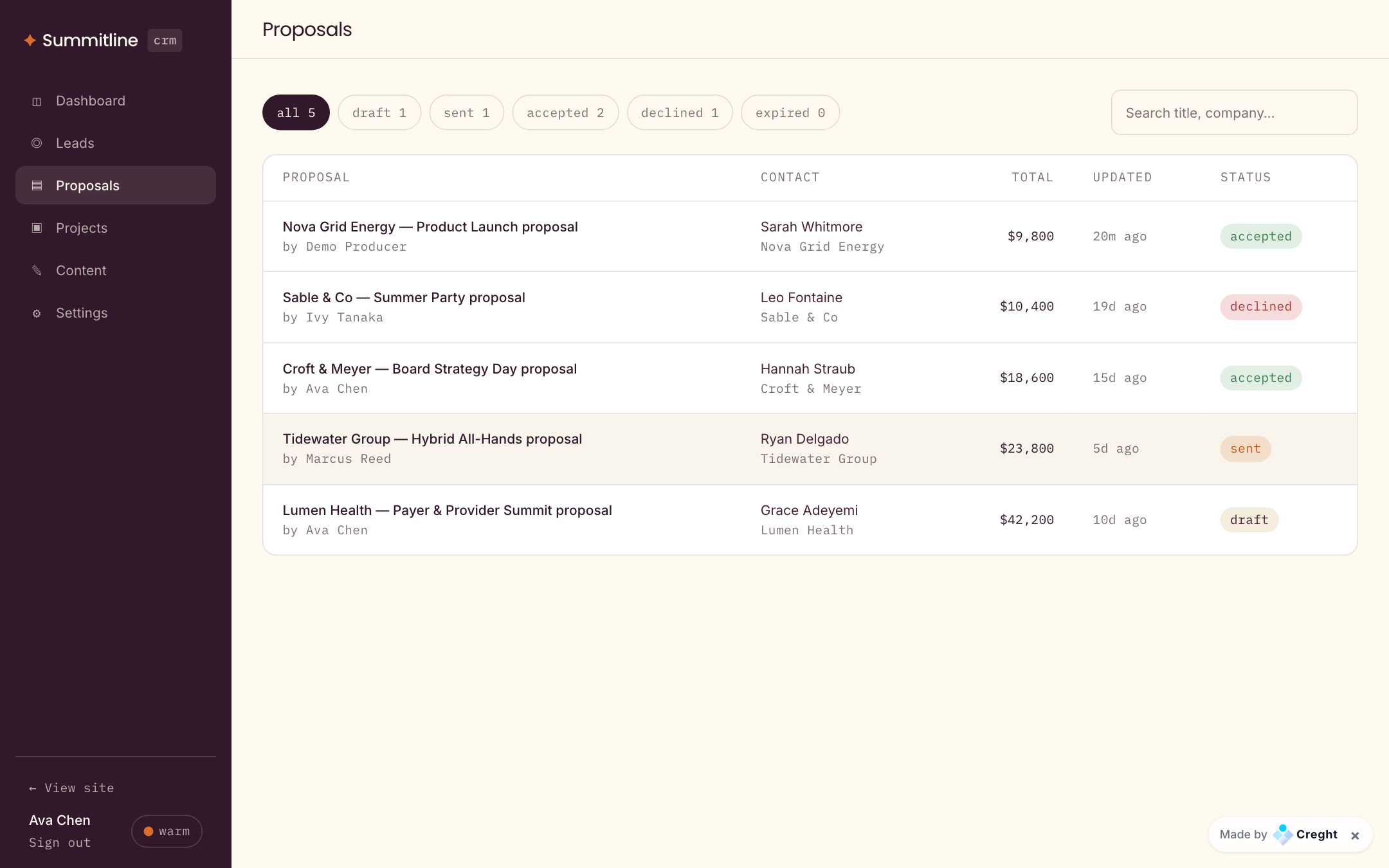
04
Proposals — draft, send, get decided
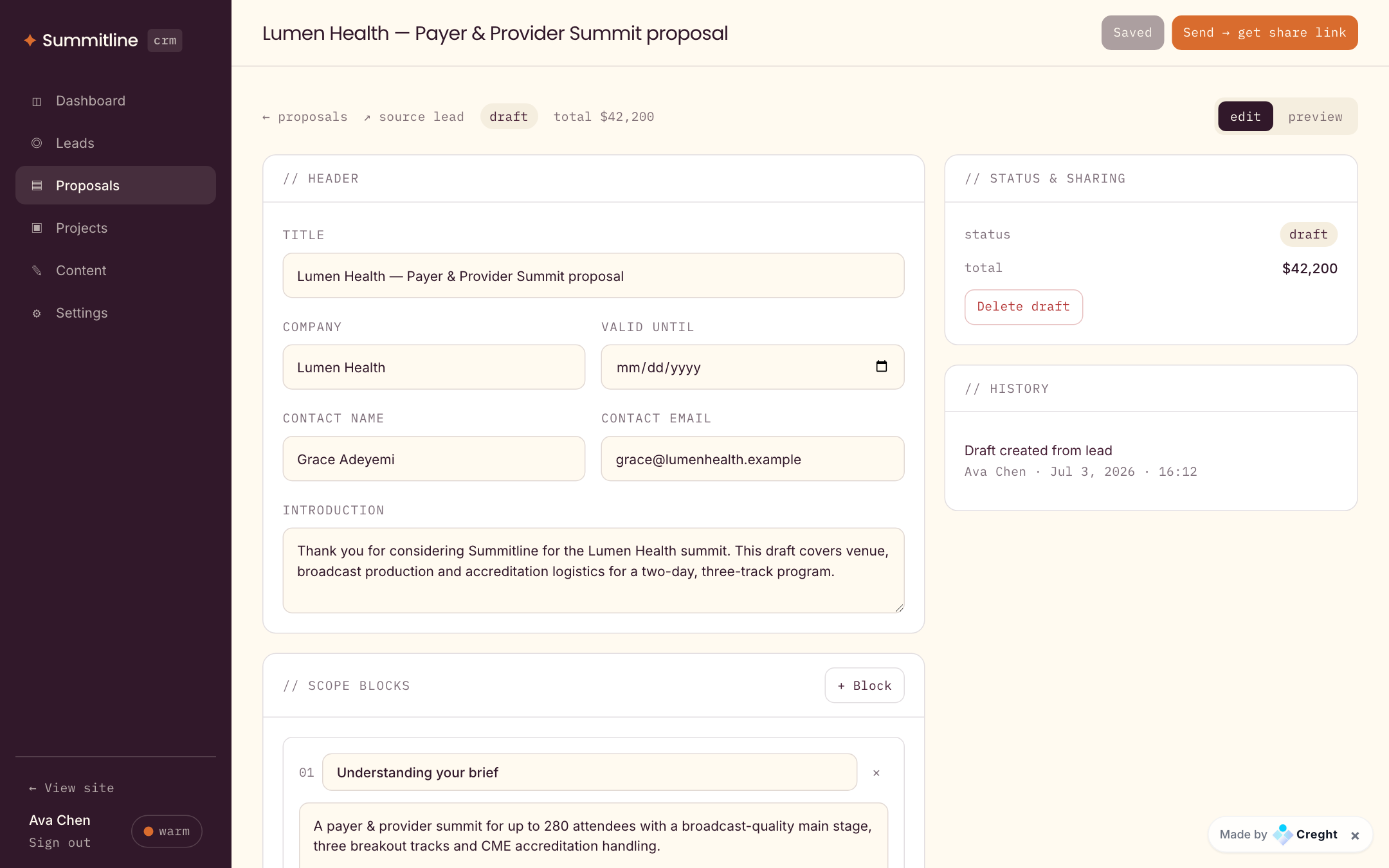
- Statuses: draft → sent → accepted / declined / expired. Drafts are fully editable; sent proposals lock and get a share link.
- Editor: header (title, client, valid-until), intro, numbered scope blocks, line items with qty × unit price and live totals, tax rate, terms. Default terms and validity days come from Settings.
- The preview tab renders exactly what the client will see. "Send → get share link" mints the private token; "Mark accepted / declined" records decisions made offline (a call, an email).
05
The client share page — closing without PDF ping-pong
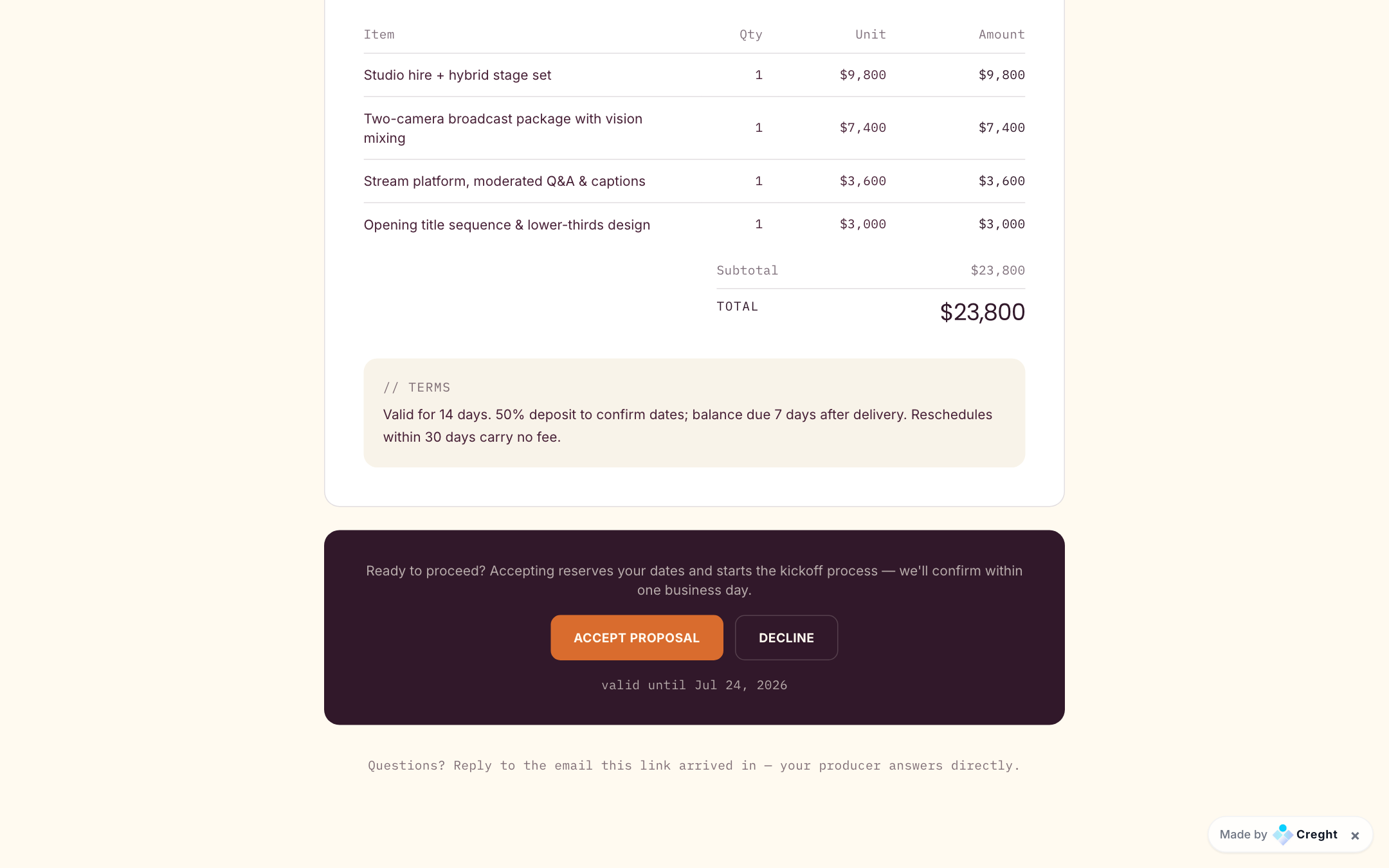
- /p/<token> is public but unguessable, and only works after a proposal is sent. It shows the branded document: scope, itemized investment, terms and validity.
- Accept reserves the deal: the proposal flips to accepted, the lead auto-moves to won, and the team sees it immediately. Decline asks an optional reason and logs it.
- Expired links (past valid-until) show an expiry notice instead of the decision bar. Try the live demo: /p/demo-proposal.
06
Projects — deliver what was sold
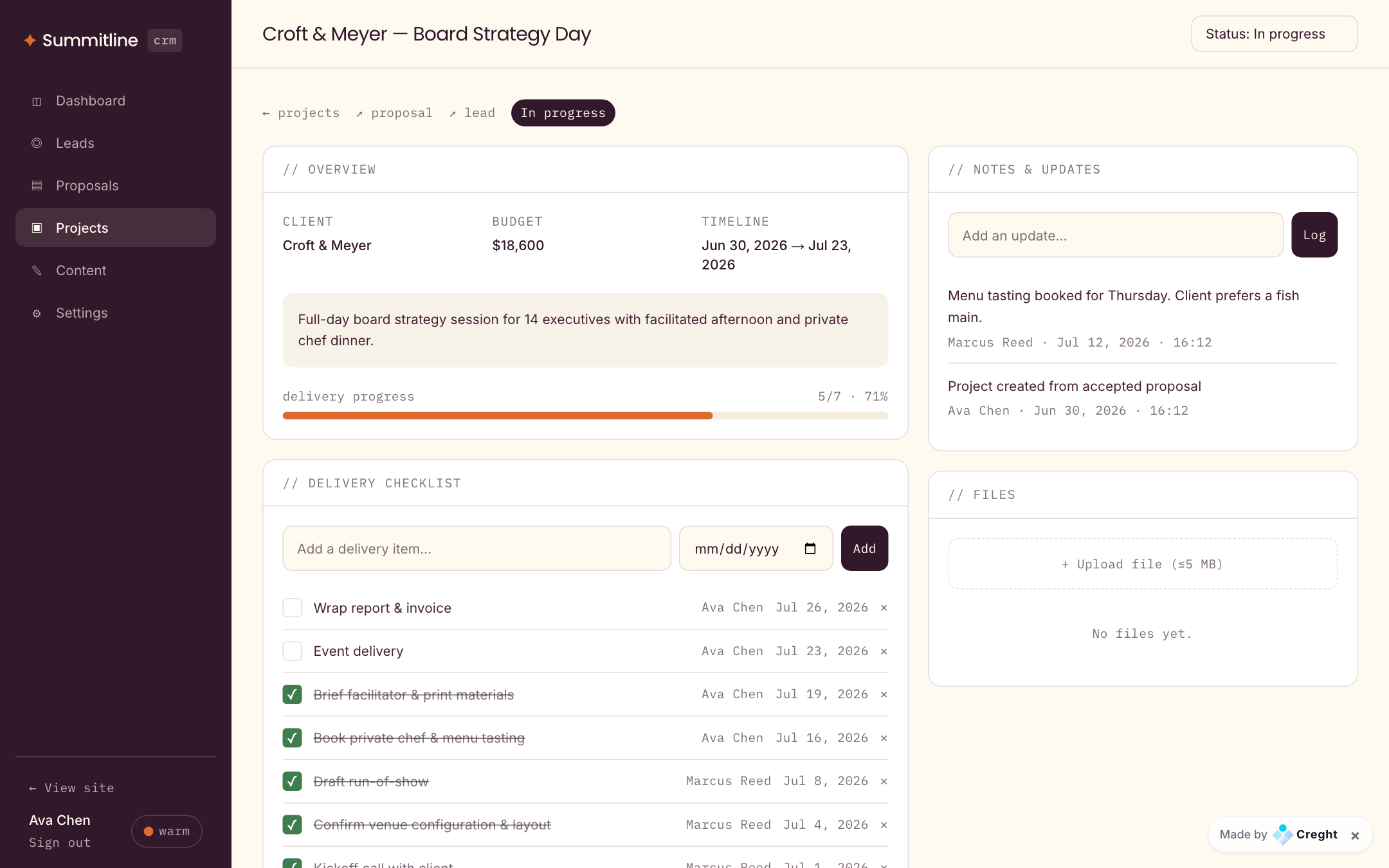
- "Convert to project" on an accepted proposal creates the project once (idempotent), copying budget and summary and seeding a 7-item delivery checklist.
- Statuses: kickoff → in progress → review → delivered → closed. The progress bar is computed from checked tasks.
- Notes and files live on the project; breadcrumbs link back to the source proposal and lead so the full history stays one click away.
07
Content & Settings — run it without touching code
- Content: services, packages, case studies, testimonials and FAQs live in the platform CMS — edit entries in the Creght editor and the site updates. Business data never mixes with display content.
- Settings: branding (company name also appears on client proposal pages), RFP form options, team members (used for lead assignment), notification flags, proposal defaults (terms + validity days).
- "Reset & load demo data" wipes business tables and reloads the full demo pipeline — 12 leads, 4 proposals with live share tokens, 2 projects. CMS content is untouched.
// backend capability map
Nine Func modules over nine JSON tables. Every back-office method requires a signed-in team member; share pages are token-gated; display content lives in the platform CMS, fully separated from business data.
| Func | Responsibility |
|---|---|
| inquiry | Public RFP + contact intake → creates leads, accounts, contacts |
| leads | List/filter, detail, status, assign, notes, edit, delete |
| proposals | Create from lead, edit, send (token), client view/decide, convert-ready |
| projects | Convert from proposal, checklist, status, notes |
| tasks | Follow-ups & delivery items on leads/projects |
| attachments | File upload to CDN (≤5 MB), list, delete |
| dashboard | Pipeline stats, recent leads, open tasks |
| settings | Branding, form options (public), team, proposal defaults |
| seed | Demo dataset loader (auth-guarded reset) |
// five steps to launch
- 1
Open /admin/login and create your team account (registration is open by default — restrict it in the platform Auth panel before going live).
- 2
In Settings, load the demo data to explore, then reset and replace branding, RFP options, team members and proposal defaults with your own.
- 3
Edit services, packages, case studies, testimonials and FAQs in the platform CMS editor.
- 4
Submit a test request on /request and walk it through: lead → proposal → share link → accept → project.
- 5
Publish. Notification flags are preference bits — wire real email/webhooks in the Func backend if you need them.
.png)